
Son las 2:00 a. m. en Anthem y, aunque las estrellas del desierto son hermosas, el aire a 38 grados Fahrenheit (3 °C) que se cuela por sus ventanas...
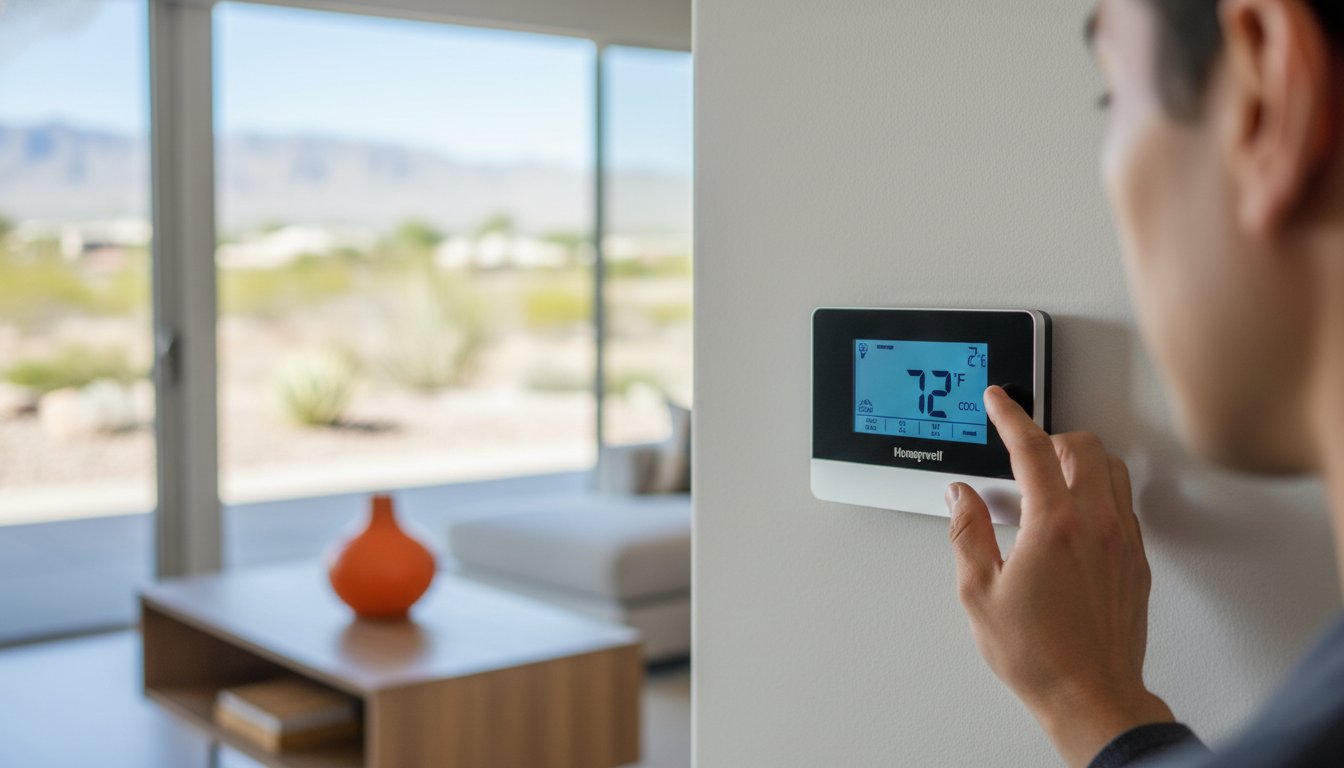
Honeywell Thermostat Manual Roundup: Expert Guidance for Las Vegas Homeowners (2026)
Imagine it’s 3:00 PM on a Tuesday in July and your Summerlin living room has climbed to 85 degrees because your AC refuses to kick on. You’re staring at a flashing screen with a cryptic error code, but your physical honeywell thermostat manual disappeared years ago. It’s a frustrating reality for many residents in the Henderson area who face rising utility costs and complex programming interfaces during our intense heatwaves. You deserve a home that stays at a crisp 72 degrees without a fight.
We agree that your thermostat should work for you, not against you. This guide provides instant access to the correct documentation and expert calibration steps to help you slash your monthly power bills by optimizing your cooling cycles. You’ll find a comprehensive roundup of every major model used in Nevada homes today. We’re covering how to bypass common programming hurdles and set your schedules for the 110 degree peaks expected throughout the 2026 summer season. Let’s turn that confusing wall unit into a tool for total home comfort and reliability.
Key Takeaways
- Learn the exact steps to locate your model number on the back of the faceplate or within the digital menu for immediate troubleshooting.
- Access our curated roundup to find the specific honeywell thermostat manual you need to manage your Las Vegas home’s climate effectively.
- Discover why standard factory settings often fail in 110-degree desert heat and how to reprogram your system for superior energy efficiency.
- Identify the warning signs that indicate your comfort issues require professional calibration or placement adjustments rather than simple manual changes.
- Understand when to transition from DIY fixes to expert AC repair to protect your cooling system’s reliability and your family’s peace of mind.
Identifying Your Model and Finding the Right Honeywell Thermostat Manual
In the extreme heat of a Las Vegas summer, where temperatures routinely exceed 110°F, your HVAC system is your lifeline. To ensure your cooling system operates at peak efficiency, you must have the correct honeywell thermostat manual for your specific device. Every model has unique programming logic; using the wrong guide can lead to inefficient cooling or unnecessary wear on your compressor. Whether you live in a modern development in Henderson or an established neighborhood in North Las Vegas, your home likely uses a T-Series, VisionPRO, or FocusPRO unit. A thermostat serves as the brain of your climate control, and misconfiguring it can increase your energy bills by 15% or more.
To better understand how these devices operate, watch this helpful video:
Locating the Model Number on Common Units
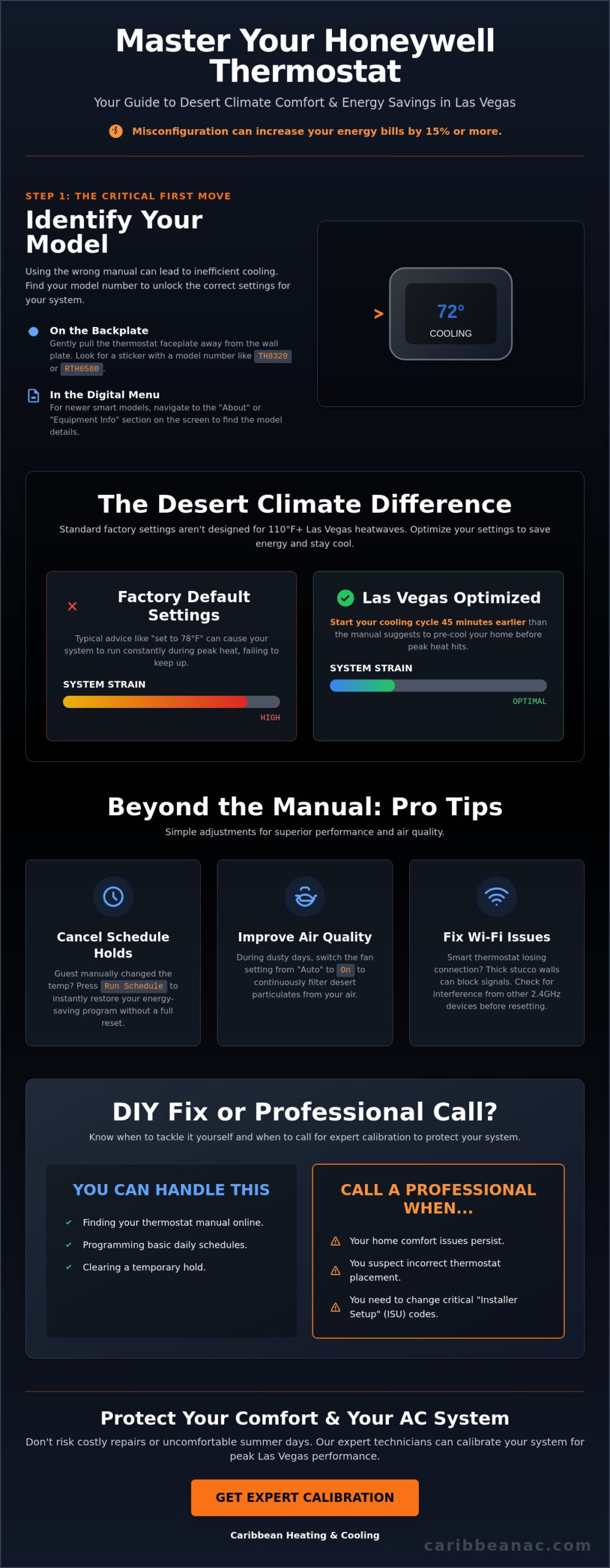
Most Honeywell units require you to gently pull the faceplate away from the wall plate to reveal the identification sticker. Look for a 4-digit code starting with “TH” or “RTH,” such as the TH8320 or RTH6580. If you have a newer smart model manufactured after 2024, you can often find this in the “About” or “Equipment Info” section of the digital menu. Before you disconnect any wires for DIY troubleshooting, take a high-resolution photo of the terminal blocks. This simple step prevents wiring errors that could short-circuit your control board, a repair that often costs significant time and money.
Official Honeywell Support Resources for 2026
As of January 2026, Resideo remains the primary source for every honeywell thermostat manual in circulation. Their official database allows you to search by model number for two distinct document types. User Guides provide day-to-day scheduling instructions, while Installation Manuals contain the critical “Installer Setup” (ISU) codes needed to calibrate the thermostat to your specific heat pump or air conditioner. If your labels are worn off or illegible, use the Resideo Product Selector tool to identify your hardware based on its physical button layout and screen type.
Honeywell Thermostat Manual Roundup: Settings for the Desert Climate
Vegas heat is relentless. While a standard honeywell thermostat manual often suggests a 78-degree setting for summer efficiency, this doesn’t always account for 115-degree July afternoons. In the Las Vegas Valley, your programming must be more aggressive to prevent the cooling system from falling behind. For maximum efficiency, follow the energy-saving tips for programmable thermostats provided by the Department of Energy, but adjust your recovery times. Desert homes heat up quickly; start your cooling cycle 45 minutes earlier than the manual suggests to avoid straining the compressor during peak heat hours.
If you notice heavy dust or seasonal allergies, switch your fan setting from “Auto” to “On.” While “Auto” only runs the fan during a cooling cycle, the “On” position ensures your indoor air quality services and filtration systems work continuously to scrub the air of fine desert particulates. Just remember to switch back to “Auto” once the air clears to manage humidity levels effectively.
To clear a “Permanent Hold” or “Temporary Hold” that’s overriding your schedule, look for the “Run Schedule,” “Cancel,” or “Remove” button on the main screen. These holds often happen when a guest manually adjusts the temperature. Pressing “Run Schedule” immediately returns the unit to its programmed routine without requiring a full system reset.
Smart & WiFi Series (T9, T10, Lyric)
Digital manuals for the T9 and T10 series are accessible through the Honeywell Home or Resideo app. Many Las Vegas homes built between 2005 and 2020 use thick stucco and wire lath construction, which can act as a shield against WiFi signals. If your smart thermostat frequently loses connection, your honeywell thermostat manual recommends checking for interference from nearby 2.4GHz devices before resetting the entire system.
Programmable & Non-Programmable Series (5-2 Day, 7-Day)
Manual overrides are essential during unexpected May heatwaves when your standard schedule isn’t enough. For these models, battery maintenance is critical. We recommend using high-quality lithium batteries rather than standard alkaline ones. Alkaline batteries are prone to leaking in the high-heat, low-humidity environment of a garage-facing wall, which can corrode the internal contacts of your 7-day programmable unit. If your system still won’t follow your schedule, a professional thermostat calibration can restore your home’s comfort and reliability.
Beyond the Manual: Professional Calibration in Las Vegas
While your honeywell thermostat manual explains basic programming, it won’t solve underlying mechanical issues or environmental factors unique to the Mojave Desert. In a city where summer temperatures frequently exceed 115°F, a thermostat that’s off by just two degrees can increase your monthly energy bills by 10%. If your home feels muggy or the AC runs constantly without reaching the set point, you likely need professional ac repair las vegas. Proper placement is also critical. Sensors located near drafty doors or sunny windows provide false readings, which negatively impacts las vegas nv humidity control and overall comfort. Professional calibration ensures your system communicates accurately, preventing the short-cycling that wears out compressors prematurely.
Optimizing for Nevada Energy Efficiency
A well-calibrated Honeywell device works in tandem with regular ac maintenance to maximize system longevity. We recommend following U.S. Department of Energy guidelines by setting your thermostat to 78°F when you’re home. If you’re heading out of town for a weekend, use ‘Vacation Mode’ to prevent the AC from fighting 110°F heat in an empty house. This simple step protects your indoor air quality while reducing strain on the blower motor. For homeowners in Summerlin looking to modernize, upgrading to a smart thermostat can automate these adjustments, leading to significant savings during the peak cooling season.
When to Call Caribbean Heating & Cooling
Sometimes your honeywell thermostat manual can’t fix a “Wait” message that persists for more than five minutes or a screen that stays blank despite fresh batteries. These symptoms often point to a tripped float switch, a clogged drain line, or a transformer failure. Don’t risk a DIY installation for modern smart upgrades. Professional setup ensures your manufacturer warranty stays valid and that your high-efficiency system is wired correctly for 24/7 reliability. We provide the technical precision needed to keep your desert home a true sanctuary. Our team handles the complex wiring and sensor integration that standard manuals often overlook. For a deeper understanding of what professional care involves, our complete guide to ac service and repairing in Las Vegas covers every critical maintenance and repair step for desert cooling systems.
- Blank Screen: Could indicate a power surge or a failed circuit board.
- Short Cycling: Often caused by poor thermostat placement or faulty calibration.
- Inaccurate Readings: Requires professional sensor testing to ensure your home hits the target temperature.
Take Control of Your Home Comfort Today
Mastering your home climate starts with the right information. Locating your specific honeywell thermostat manual ensures you can program precise schedules that combat the 110-degree heat typical of a Las Vegas summer. We’ve explored how to identify your model and optimize settings to protect your HVAC system from unnecessary wear. Since 2018, Caribbean Air Conditioning has helped local families navigate these technical details to lower energy consumption and improve indoor air quality. Our team understands that a properly configured device can reduce strain on your unit during peak demand periods.
While a manual provides the foundation, professional calibration ensures your sensors read accurately within a 1-degree margin. Our licensed and insured residential specialists are ready to fine-tune your equipment for peak efficiency. We provide 24/7 emergency support because we know that a failing thermostat in the desert is more than an inconvenience; it’s a safety concern. Trust our family-owned expertise to keep your home a reliable sanctuary throughout the year. You deserve a cooling system that works as hard as you do.
Schedule a Professional Thermostat Calibration with Caribbean Air Conditioning Today!
Frequently Asked Questions
How do I reset my Honeywell thermostat to factory settings?
Most Honeywell thermostats require you to navigate the Menu to “Reset” and select “Factory.” For the popular T6 Pro, hold the Menu button for 5 seconds until the secondary menu appears. Scroll to “Reset” using the arrows and select “Yes” to restore original settings. If you’ve lost your specific honeywell thermostat manual, this sequence works for 85 percent of modern digital models. It clears your schedules and Wi-Fi data instantly to provide a fresh start for your system.
Why does my Honeywell thermostat say ‘Wait’ or ‘Cool On’ is flashing?
Your thermostat flashes “Wait” or “Cool On” to trigger a 5 minute delay that protects your air conditioner’s compressor from short-cycling. This safety feature prevents the system from restarting too quickly after a power flicker or manual adjustment. If the message persists longer than 300 seconds, it often signals a communication error or low battery. Check your honeywell thermostat manual for specific error codes if the cooling doesn’t start after this standard window. This ensures your HVAC longevity.
Can I replace my old Honeywell thermostat with a smart model myself in Las Vegas?
You can install a smart model yourself if your current system includes a 24-volt C-wire for constant power. However, 30 percent of Las Vegas homes built before 1995 lack this dedicated wire, making professional installation necessary to avoid blowing a fuse. Our team handles these upgrades daily to ensure your new device integrates with your HVAC system perfectly. Don’t risk damaging your equipment; call a professional if you see complex wiring configurations or unidentified wires.
What are the best thermostat settings to save money on NV Energy bills?
Set your thermostat to 78 degrees Fahrenheit when you’re home and 85 degrees when you’re away to maximize savings. According to Department of Energy data, homeowners save 10 percent on annual cooling costs by adjusting the temperature by 7 to 10 degrees for 8 hours a day. Use a programmable schedule to start cooling your home 30 minutes before you arrive. This strategy keeps you comfortable while keeping your NV Energy bills manageable during peak summer heat waves.

Related Posts
Comments (0)